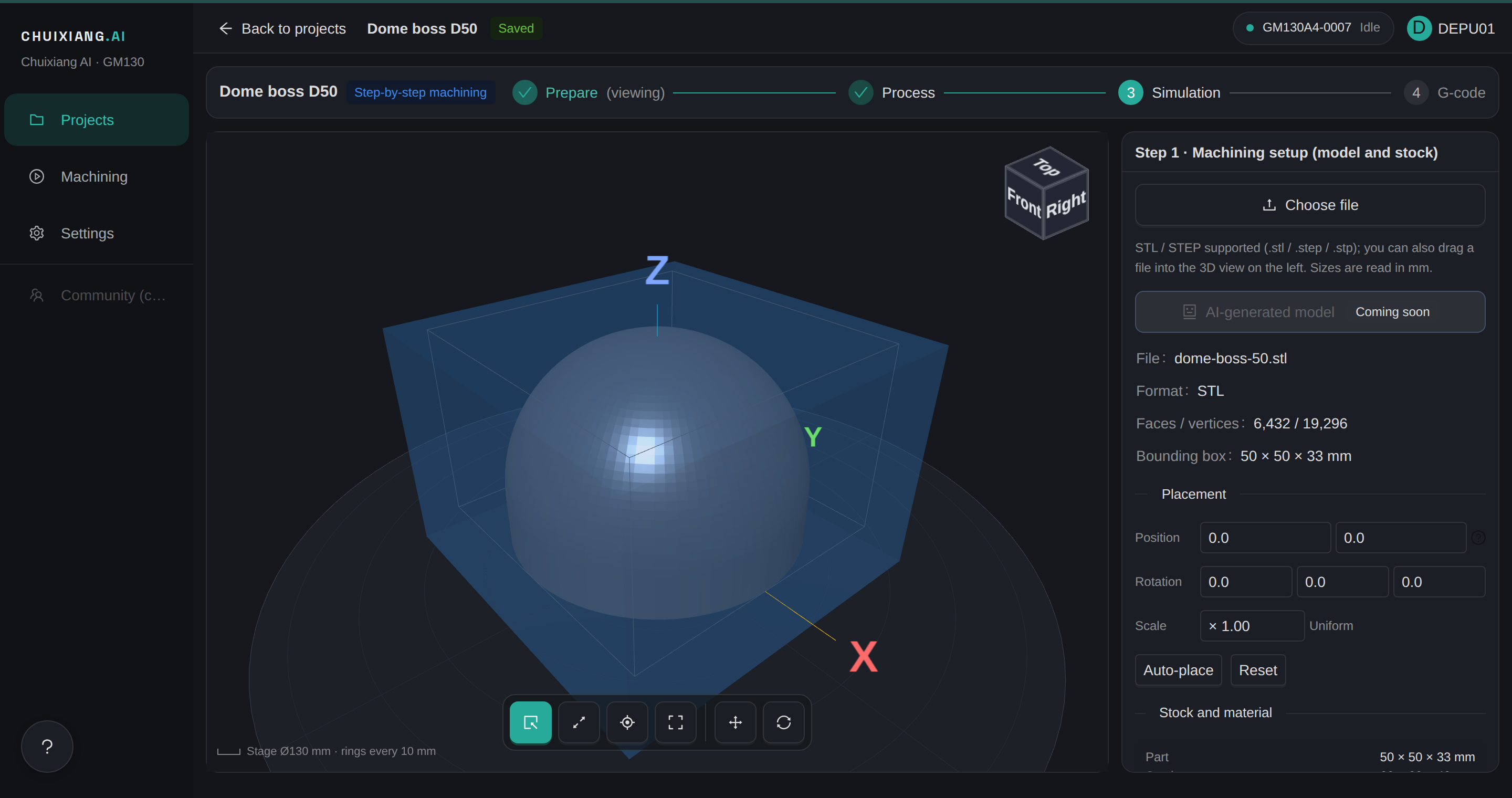
Step 1 · Prepare
Import the model, place it, set the stock
Upload a STEP or STL. The part is on the table.
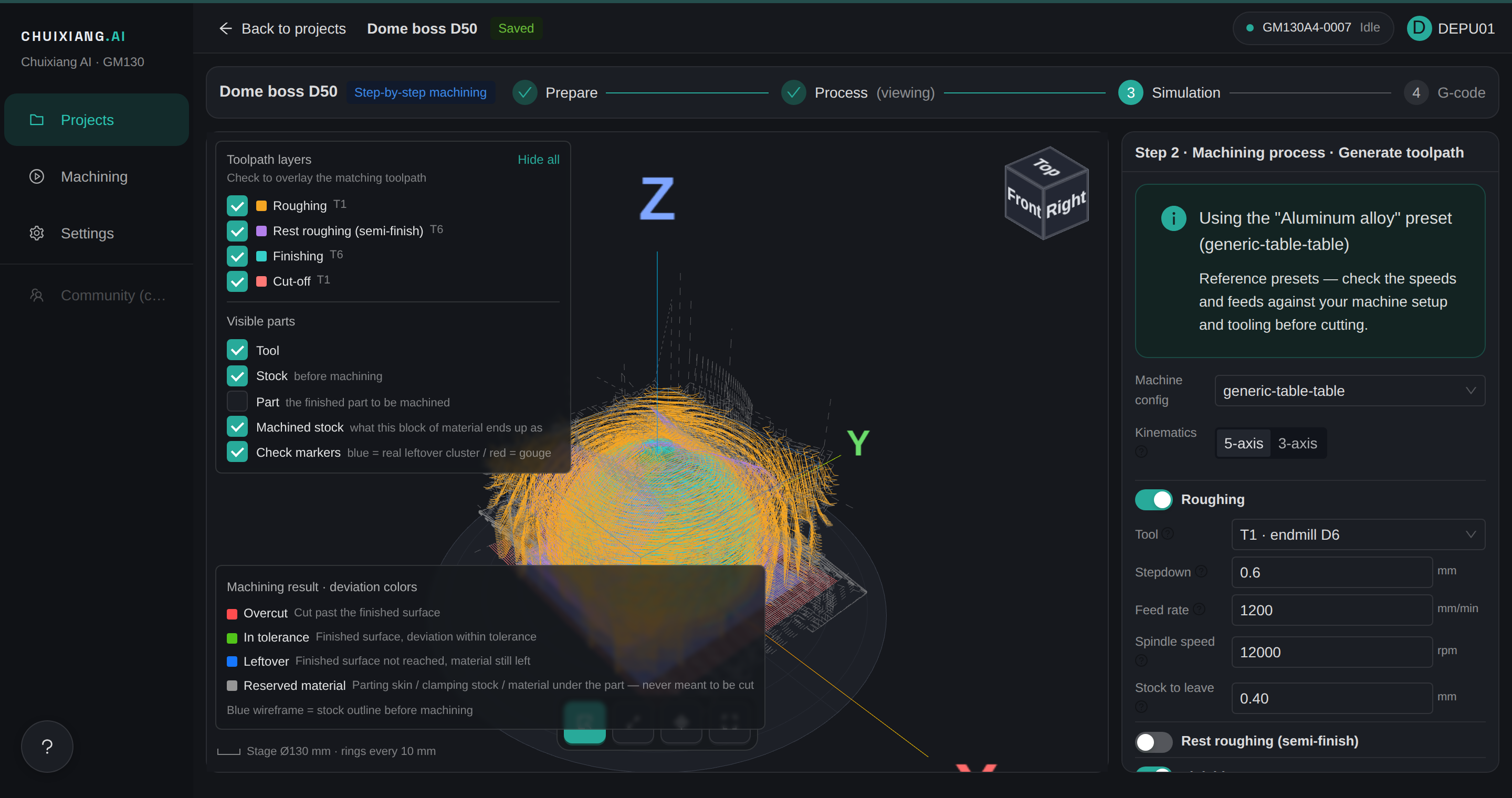
Step 2 · Process
Process settings and 5-axis toolpaths, in one pass
Pre-set for the material. Every value says where it came from.
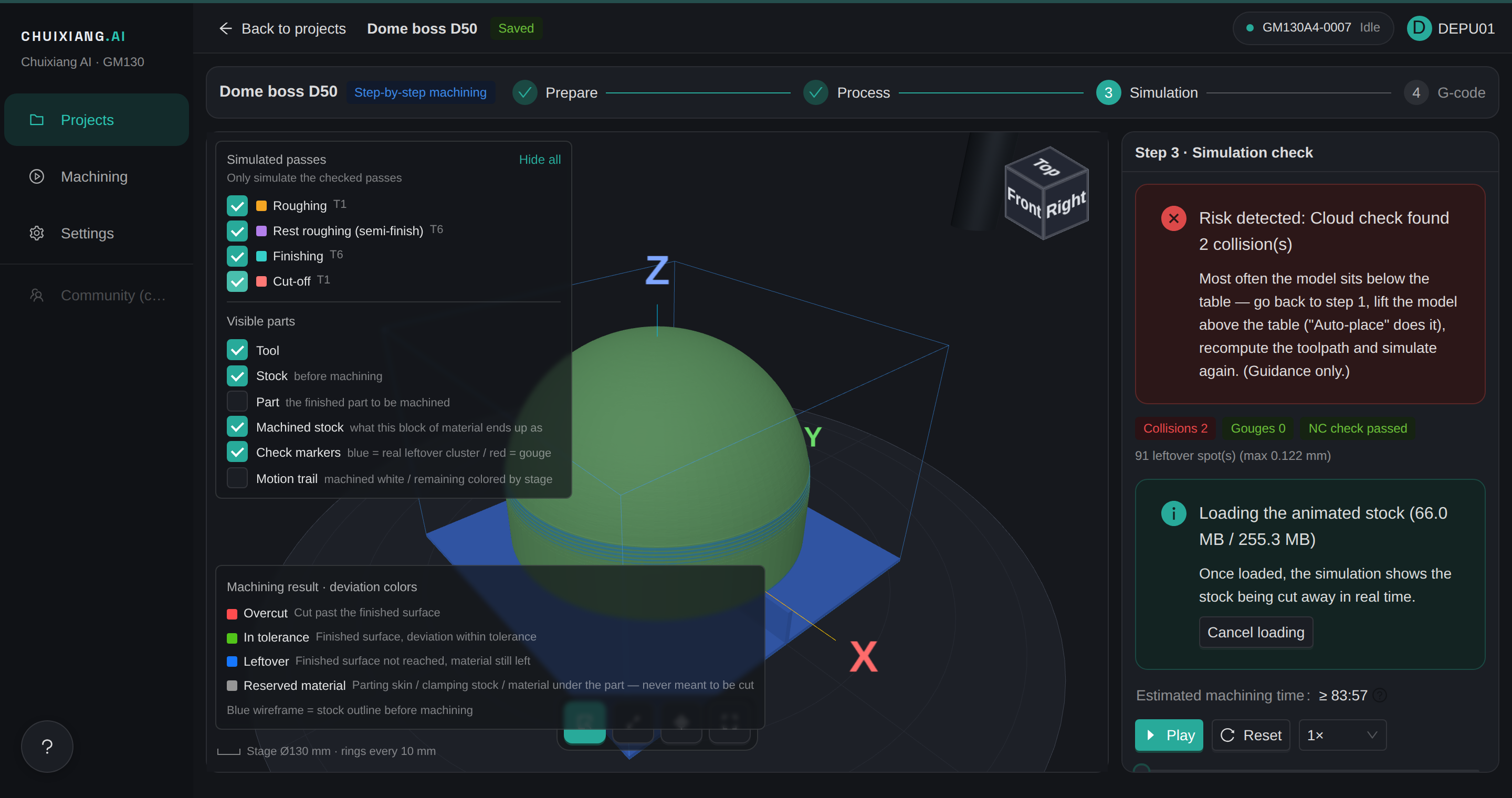
Step 3 · Simulation
Cut it on screen first, and see the risks in red
Collisions and gouges, flagged before the spindle turns.
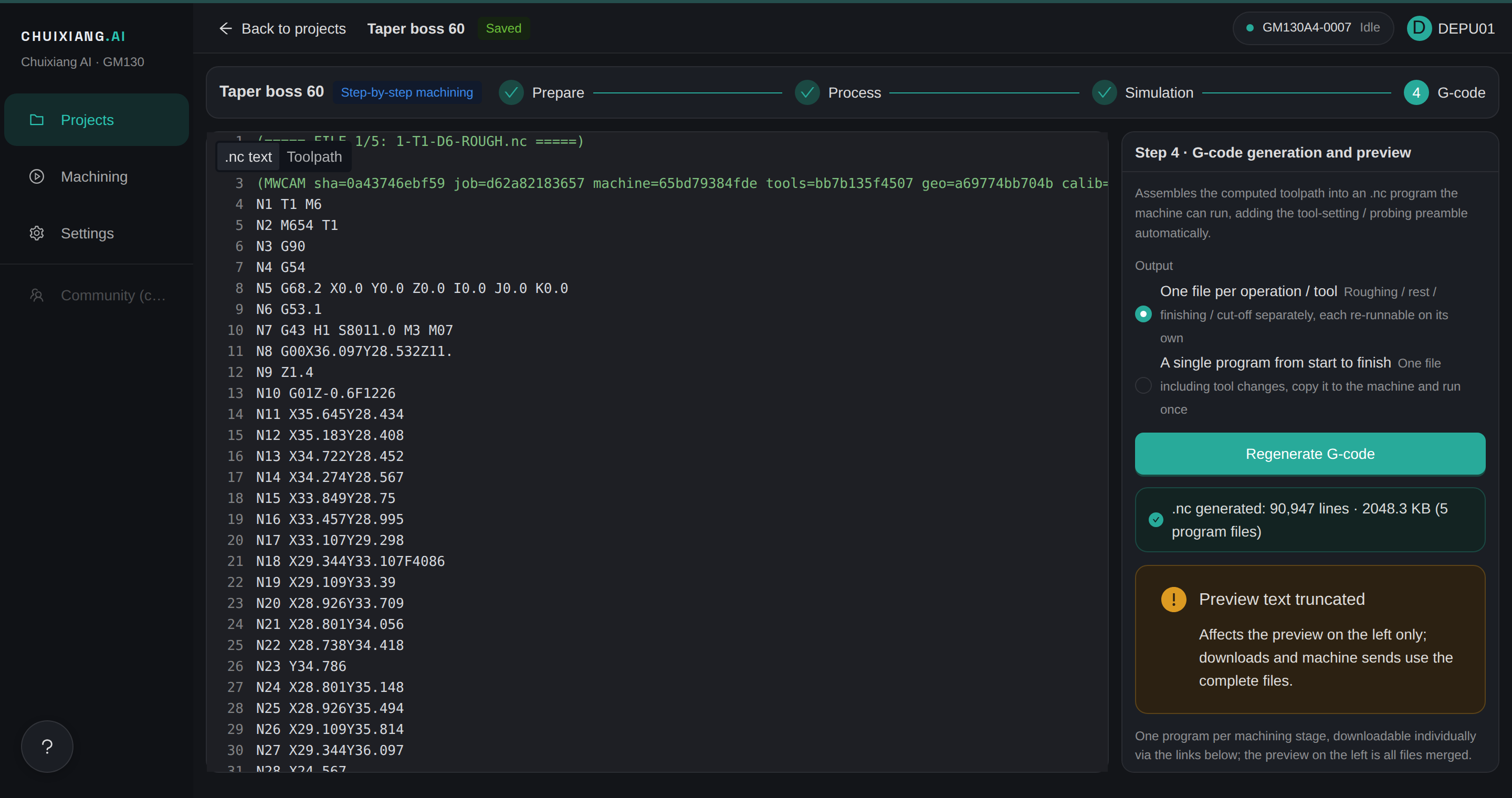
Step 4 · Program
Review the program before it reaches the machine
Previewed in full, with line numbers.
Watch a full run
Where it stands
Available
- Automatic toolpath generation
- Cutting simulation with deviation colouring
- Program output
Being connected
- Live machine interaction
- Program upload and dispatch, several machines
- Tool table checks
It runs today on one desktop 5-axis machine. To run it on yours, contact us.